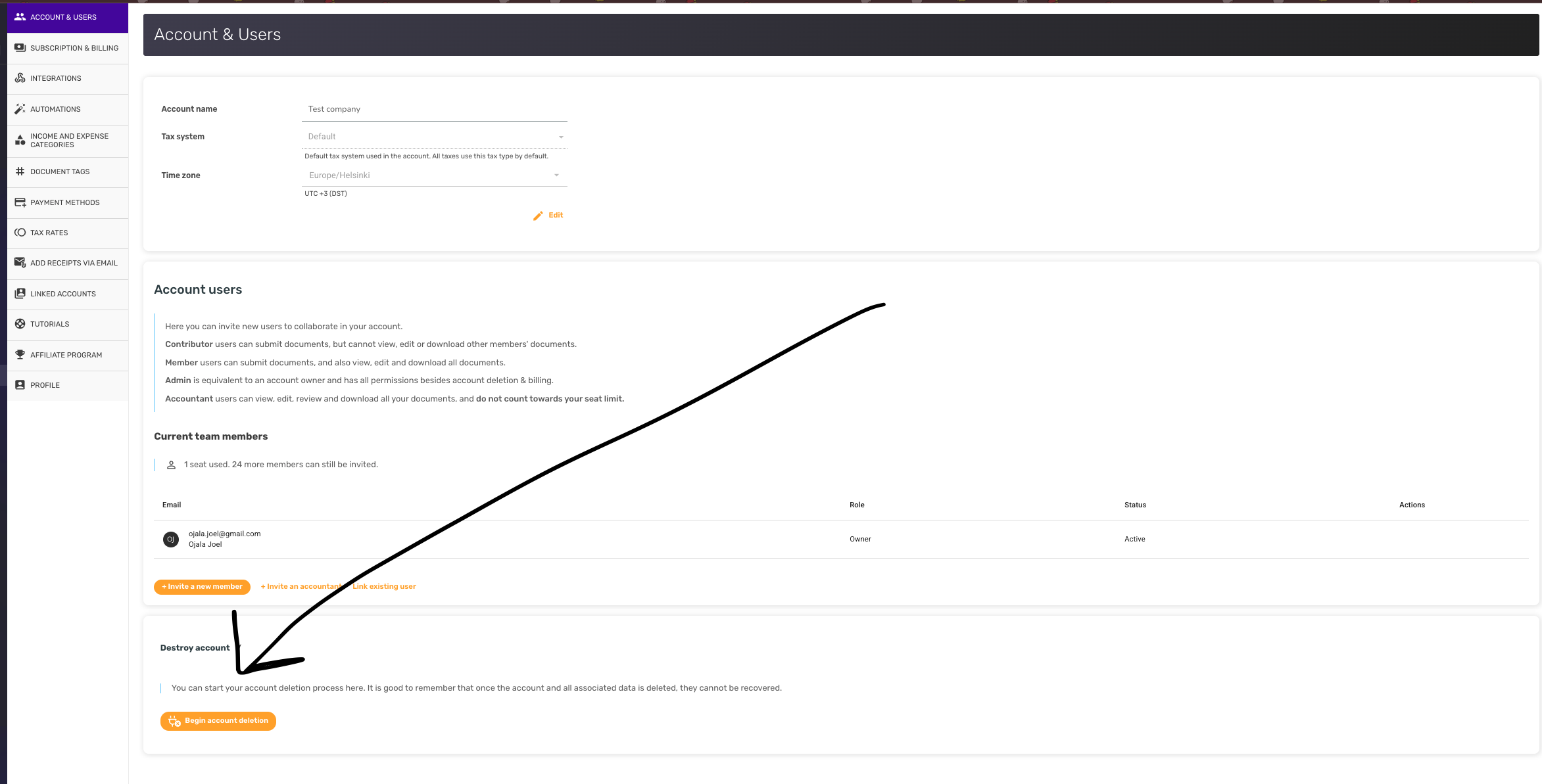
Each linked account (workspace) is deleted on its own. Deletion is permanent — receipts, documents, attachments and related data in that account cannot be recovered — so you'll want to export anything you need to keep beforehand. An admin or the owner can delete a linked account. Your main account is different: only its owner can delete it, since deleting it also ends the subscription and removes every linked account. If you're an admin who needs the main account gone, ask the owner to do it.
Steps
- In the sidebar account switcher, choose the linked account you want to delete so it becomes the current account.
- Open Account & Users from your account settings.
- Scroll to the Destroy account section and click Begin account deletion. You'll be asked to confirm via email; deletion runs after confirmation.
If the account still has an active Stripe or Paddle subscription, cancel it from Subscription & Billing first. For Google Play or App Store subscriptions, cancel via your device's store settings — destroying the account here does not cancel the store subscription automatically.