Inviting your accountant to SparkReceipt takes a minute and lets them work directly on your receipts, invoices, and reports without you having to email files back and forth.
Steps
- Log in to SparkReceipt. Sign in to your account using your credentials.
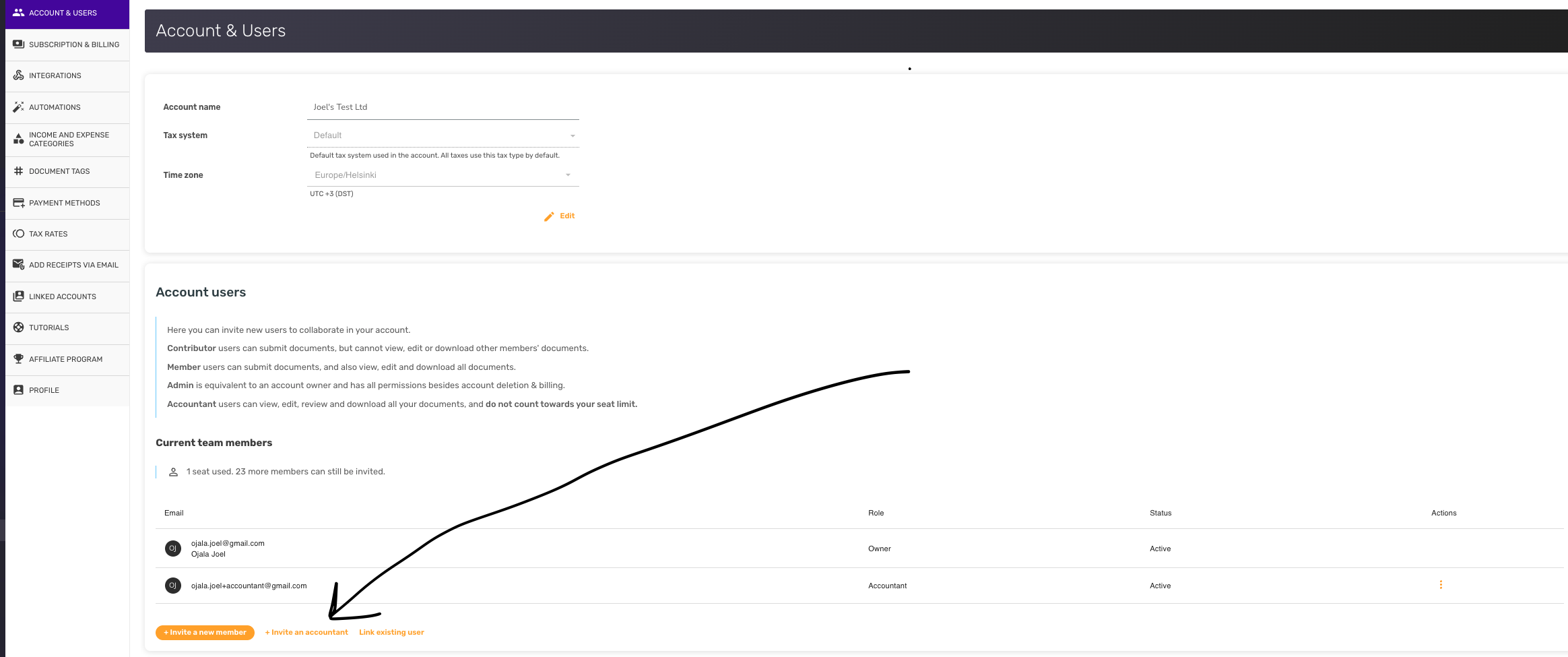
- Open Account & Users. Click Account Settings in the bottom-left of the navigation, then choose Account & Users.
- Start an accountant invite. At the bottom of the user list, click + Invite an accountant.
- Enter the accountant's email. Type your accountant's email address in the dialog that appears.
- Send the invite. Click Send invite. Your accountant will receive an email with instructions for joining your account.
Good to know
Accountant users can view, edit, review, and download every document in your account. They don't count toward your seat limit, so you can work with your accountant without paying for an extra user. Admins, the account Owner and Accountants whose Accountant permissions are set to Admin can invite or remove other users.